Spaceclear

Spaceclear: Phone Cleaner

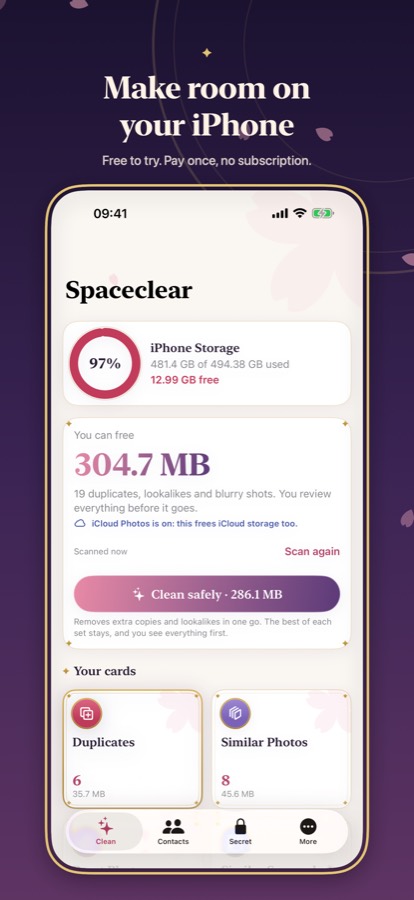
Make room on your iPhone

Free up gigabytes in minutes: duplicates, lookalikes, big videos, even iCloud space. All on your iPhone. Pay once: no subscription, no ads, no weekly plans.

Coming soon to the App StoreFeatures

Scanning is always free. Spaceclear Pro unlocks everything for a single payment, Family Sharing included. No subscription.

Spaceclear: Free to try. Pay once, no subscription.

Features

A little magic for a full iPhone

Spaceclear finds what's filling your iPhone and clears it out, beautifully. Everything happens on your device: no account, no server, no tracking. Pay once, no subscription.

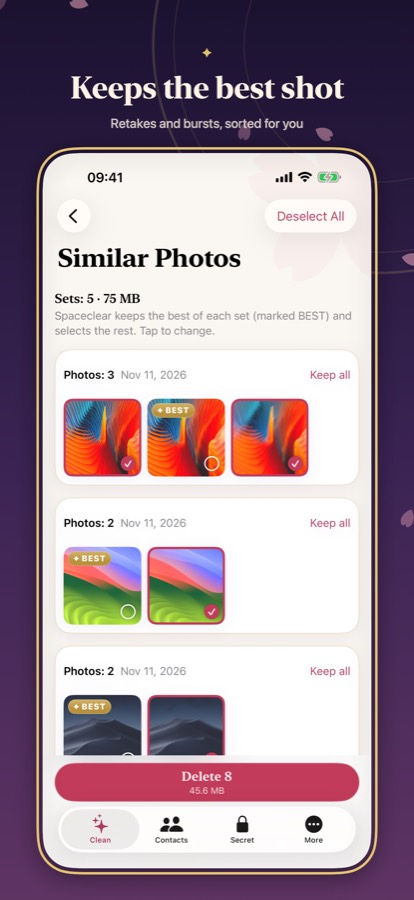
Keeps the best shot: Retakes and bursts, sorted for you

Clean safely. The best shot stays.

Spaceclear groups every extra copy, retake, burst and blurry frame, marks the best photo of each set and clears the rest in one review.

  • Duplicates: exact copies, found anywhere in your library
  • Similar photos, retakes and burst frames, with the best shot picked for you
  • Blurry photos, screenshots, documents and receipts
  • Nothing is deleted until you review and confirm it, with a moment to undo
Make room on your iPhone: Free to try. Pay once, no subscription.

Free up iCloud space

With iCloud Photos on, everything you clear in Spaceclear is cleared from iCloud too. Your biggest items come first, and the ones stored only in iCloud are marked, so a smaller plan is often enough.

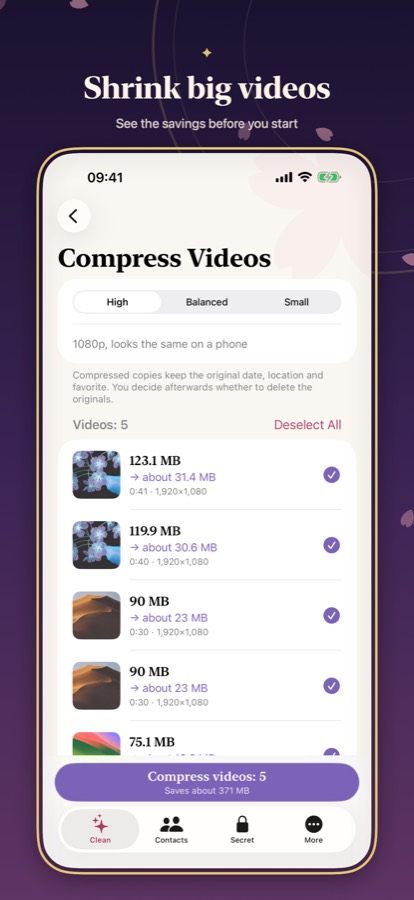
Shrink big videos: See the savings before you start

Shrink videos, photos and RAW

Keep the moments, lose the gigabytes. Big photos and RAW files become HEIC at about half the size, and videos shrink with their date and place intact.

  • See what fills iCloud Photos, biggest first, and what's only in iCloud
  • Deleting here frees iCloud storage too, maybe enough to skip the bigger plan
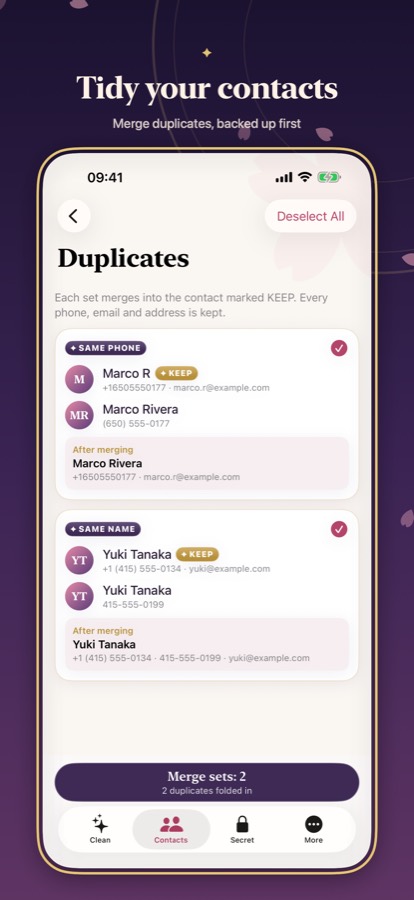
Tidy your contacts: Merge duplicates, backed up first

Contacts and calendar, tidied

Merge duplicate contacts with a backup made first, then clear out old calendar events and completed reminders.

  • Large, lookalike videos and screen recordings, biggest first
  • Compress videos to High, Balanced or Small, HDR, date and place kept
  • Big JPEG/PNG and RAW photos to HEIC; Live Photos to stills
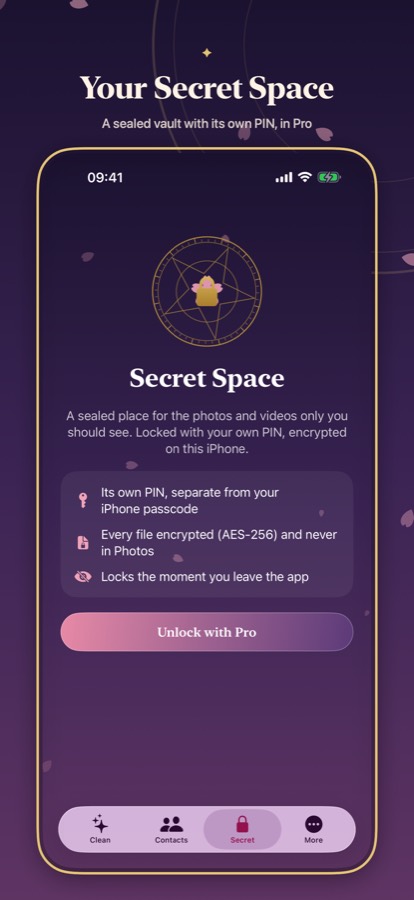
Your Secret Space: A sealed vault with its own PIN, in Pro

Your Secret Space

Private photos, videos and notes behind a PIN of their own, with Face ID, a decoy PIN and a photo of anyone who guesses wrong.

  • An encrypted vault for photos, videos, notes and contacts, with its own PIN and Face ID or Touch ID
  • Decoy PIN, break-in photos and an encrypted iCloud backup
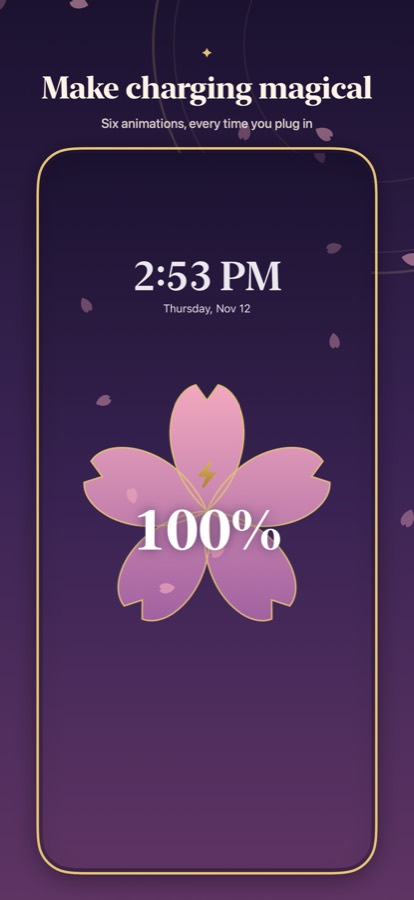
Make charging magical: Six animations, every time you plug in

Charging, made magical

Every time you plug in, a blossom fills with light or the moon turns through its phases. Widgets keep your free space in sight.

  • Background checks that tell you when clutter builds up
  • Six charging animations (two free), battery and storage widgets, Control Center and Shortcuts
  • Your stats, streak and badges
  • iPhone and iPad, 18 languages

More in Spaceclear

Coming soon: Email cleaner

In an upcoming update: see which senders fill your inbox, then unsubscribe and clear them in a tap.

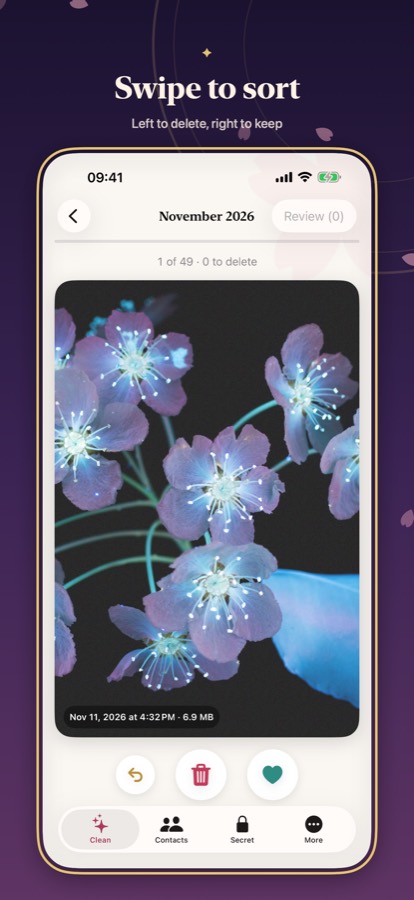
Swipe to sort

Left to delete, right to keep

Screenshots

Every screenshot and its near-identical copies, cleared in bulk.

Big and lookalike videos

The largest videos first, plus the clips you shot twice.

Undo before it's gone

A short undo window, then everything waits in Recently Deleted for 30 days.

Family Sharing

One purchase covers up to six people in your family.

See it in action

Make room on your iPhone: Free to try. Pay once, no subscription.
Keeps the best shot: Retakes and bursts, sorted for you
Swipe to sort: Left to delete, right to keep
Shrink big videos: See the savings before you start
Tidy your contacts: Merge duplicates, backed up first
Your Secret Space: A sealed vault with its own PIN, in Pro
Make charging magical: Six animations, every time you plug in
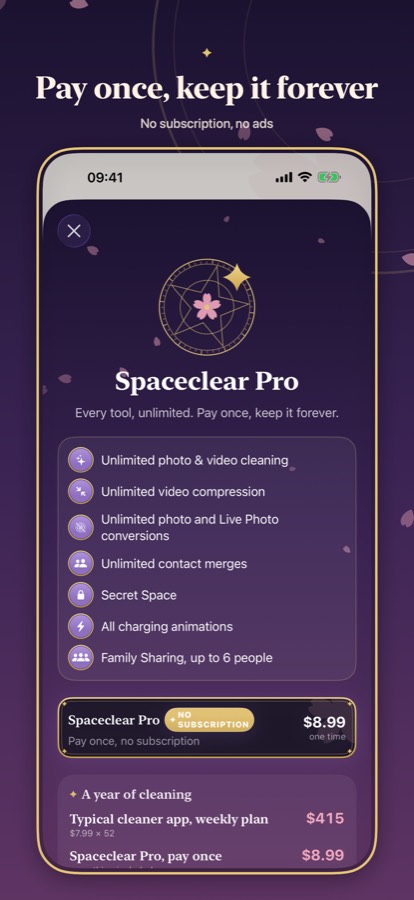
Pay once, keep it forever: No subscription, no ads

Compare

How Spaceclear compares

Most cleaner apps do the same core job, then bill you every week. Spaceclear does more, and you pay once.

FeatureTypical cleaner appSpaceclear
Price$6–$12per week$8.99one time
One year$312–$624$8.99
Similar photos, best shot kept✓✓
Free up iCloud space—✓
Photo and RAW to HEIC—✓
Undo before deleting—✓
Vault with a decoy PIN—✓
AppWeeklyYearlyLifetime
Cleanup: Phone Storage Cleaner$7.99–$11.99$29.99up to $49.99
Cleaner Neat$1.99–$6.99$29.99$39.99–$59.99
Cleaner (Seven Mile Apps)$5.99–$11.99$29.99–$99.99—
Clean Phone Storage Now$9.99–$14.95—$39.99
Spaceclearnonenone$8.99

US App Store listings, November 11–12, 2026. Compare

Pricing

Priced like it should be

Scanning is always free. Spaceclear Pro unlocks everything for a single payment, Family Sharing included. No subscription.

No subscription

Spaceclear Pro

$8.99

one time

Pay once, keep it for good

  • Every Pro tool, unlimited
  • Secret Space and every charging animation
  • Family Sharing included

The free plan

Scanning is always free. Every day you also get 30 deletions, 1 video compression, 10 conversions and 10 contact fixes, and there's no trial that bills you later.

Questions about price, privacy or iCloud?

Read the FAQ

US prices shown. The App Store shows the price for your country.

Private by design

No account, no server, no analytics. Your photos never leave your iPhone.

Data Not Collected

Guides

Free up space, step by step

Short answers first, then the steps: with the tools built into iOS, and with Spaceclear where it helps.

All guides

FAQ

Questions, answered

What is Spaceclear?

Spaceclear is an iPhone and iPad app that frees up storage: duplicate and similar photos, bursts, screenshots, blurry photos, big and lookalike videos, Live Photos, RAW photos, contacts and calendar clutter. It runs on your device and collects no data. An email cleaner is coming in an update.

How much does Spaceclear cost?

Free to download, with free scanning and 30 cleanups a day. Spaceclear Pro unlocks everything for one payment of $8.99 (US price), with Family Sharing. There is no subscription, no weekly plan and no trial that bills you later.

Is Spaceclear safe?

It's built to be careful: nothing is deleted until you review it and confirm, there's a short undo window, and photos go to Recently Deleted for 30 days. Contacts are backed up before any change. Calendar, reminder and Secret Space deletions can't be undone, so Spaceclear says so before you confirm. Keep your own backup too, and see the Terms of Use.

Does Spaceclear upload my photos?

No. Spaceclear has no server. Analysis happens on your iPhone with Apple's frameworks. The App Store privacy label is Data Not Collected.

Why didn't my storage change after cleaning?

Photos keeps deleted items in Recently Deleted for 30 days. Empty it in Photos › Albums › Recently Deleted.

Does Spaceclear free iCloud storage?

When iCloud Photos is on, yes: deleting a photo removes it from iCloud too. Spaceclear's iCloud Space lists your biggest items and which ones are only in iCloud.

Does Spaceclear clean email?

Not yet. An email cleaner for iCloud, Gmail, Yahoo and other IMAP accounts is coming in an update. Today Spaceclear cleans photos, videos, contacts, calendar and reminders.

What is Secret Space?

An encrypted vault for private photos, videos, notes and contacts, with its own PIN, Face ID, a decoy PIN, intruder photos and optional encrypted iCloud backup.

Does Spaceclear work on iPad?

Yes, on iPhone and iPad with iOS/iPadOS 18 or later, in 18 languages.

How do I cancel?

There's nothing to cancel. Spaceclear Pro is a one-time purchase, not a subscription, so it never renews or charges you again. On a new device, tap More › Restore purchase to get Pro back. For a refund, ask Apple at reportaproblem.apple.com.

Pay once, keep it forever

No subscription, no ads

Coming soon to the App Store